Animal Facts Faceless Video Generator
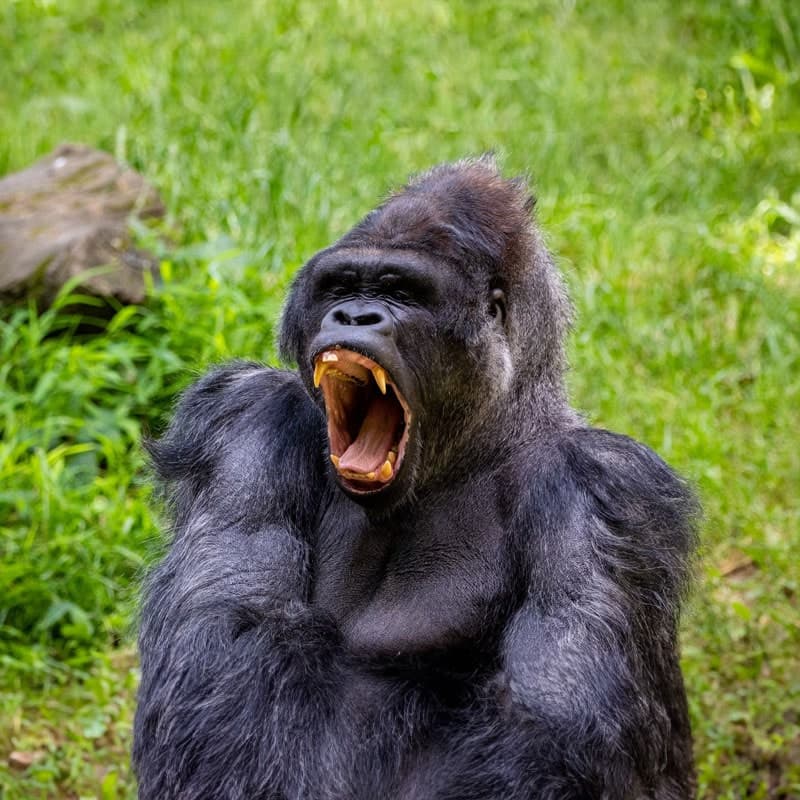
One named animal and one wild, verifiable fact — the mantis shrimp punch that boils water, the bird that sleeps mid-flight. Opened on the most unbelievable detail, paid off at the end.
Crazy Animals Videos Made With AutoFeed
Real videos from Crazy Animals series, most viewed first. Each one opens with its script and the settings it was made with.
 2.4K
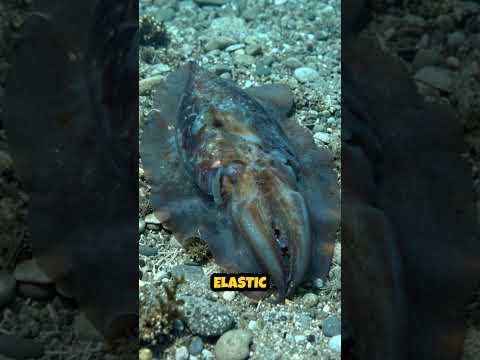
2.4KCuttlefish: The 20-Millisecond Disguise
Crazy Animals
 2.3K
2.3KMimic Octopus: Master of Eight Disguises
Crazy Animals
 1.9K
1.9KVampire Bat: The 0.001°C Blood Finder
Crazy Animals
 1.8K
1.8KPangolin: The Unbreakable Curl
Crazy Animals
 1.7K
1.7KSatin Bowerbird: The Collector of Blue
Crazy Animals
 1.7K
1.7KNarwhal: The Tusk That Listens Under Ice
Crazy Animals
 1.7K
1.7KThe 48-Hour Vigil: Elephants at Amboseli
Crazy Animals
 1.1K
1.1KBabirusa: The Self-Stabbing Pig of Sulawesi
Crazy Animals
Why Crazy Animals Works As A Faceless Channel
Animal content is universal: no language barrier, no age gate, no political risk, and an image model is very good at animals. It is the niche most often recommended to a first-time faceless creator for exactly those reasons, and the one where the 39 narration languages pay off most, because the same script works in Hindi and Portuguese as well as it does in English.
What separates a channel that grows from one that does not is the fact. "Sharks are dangerous" is not a video; "a mantis shrimp punch accelerates like a .22 bullet" is. The preset is written around one real species and one documented number.
What The Crazy Animals Preset Tells The Writer
Every category tile in the editor carries a brief the script writer is held to. This is the Crazy Animals brief, paraphrased from the shipped prompt.
One named animal and one wild, verifiable fact per video — a real number, behaviour or record.
Open on the single most unbelievable detail and pay it off.
Real species and documented facts only.
Fast and astonishing.
Recommended Settings For Crazy Animals
Each of these is a real option in the editor. Change any of them; these are the starting point that suits the niche.
- Art style
- Realistic
- Wildlife photography is the register of the niche, and it is what the image model does best.
- Caption style
- YouTuber or Supreme
- The default, and the safest for a mixed, all-ages audience. Supreme when the number needs to be big on screen.
- Voice filter
- Narration or Social Media
- Warm and quick. Narration for a nature-documentary feel, Social Media for a faster channel.
- Background music
- Happy, Relaxing or Epic
- Happy for the funny facts, Relaxing for underwater and forest scenes, Epic for predators.
- Language
- Any of the 39
- This niche translates without losing anything, so a second series in Spanish or Hindi is the cheapest audience expansion in the product.
- Duration target
- 15 to 30 seconds (1,000 credits)
- The default, and where most channels should live. Step up to 45-60 (1,200 credits) once a subject proves it can hold, and to 60-90 (1,500) only if you are chasing TikTok Creator Rewards, which pays on original video over a minute.
Opening Lines In This Niche
The brief forbids opening with a question or addressing the viewer. A Crazy Animals script starts inside a concrete detail, like these. They show the shape; every render writes its own.
- A mantis shrimp punches at about 23 metres per second, fast enough to boil the water in front of its claw and crack aquarium glass.
- An Alpine swift was recorded flying for 200 days without landing once, eating, drinking and sleeping on the wing.
- The immortal jellyfish Turritopsis dohrnii can revert to its juvenile form when injured, and in theory never has to die of old age.
- A tardigrade survived ten days exposed to the vacuum of space on the outside of a satellite in 2007.
- The Greenland shark reaches maturity at around 150 years old, and one caught in 2016 was estimated to be nearly 400.
- A pistol shrimp snaps its claw so fast the collapsing bubble briefly reaches about 4,400 degrees Celsius — not far off the surface of the sun.
How A Crazy Animals Series Runs
The niche is one tile in the AI slideshow editor. Everything else is the same pipeline every slideshow uses.
- Step 1
Pick the preset
Start a new series, choose AI Slideshow and select the Crazy Animals tile. The brief above is attached to every script the series writes; you can also add your own instructions on top of it.
- Step 2
Set the look and the voice
Choose an art style, a caption style, a voice from the ElevenLabs picker, background music and particles. The settings above are the ones that suit this niche; all of them can be changed per video or per series.
- Step 3
Schedule it
Connect your accounts, pick the days and the whole-hour slots, and the series writes, narrates, illustrates and publishes a new video at each one. Review each video first, or let it run.
Crazy Animals Questions, Answered
Is this a good first niche for a faceless channel?
It is the one most often recommended for a first channel, and for good reason: the audience is every age and every country, there is no policy risk, the image model renders animals well, and the facts are checkable. The trade-off is competition — there are a lot of animal channels — so the specific, surprising fact is what separates yours.
Will the animals in the images be the right species?
The image prompts are written from the script, so a video about a mantis shrimp gets a shrimp-like creature in a reef. Image models are good at common animals and less exact with obscure ones; if a still is wrong you can regenerate the video or rewrite the script to describe the animal more precisely before rendering.
Can a animal facts channel run without me every week?
Yes. Create a series, choose the "Crazy Animals" tile, pick the days and the whole-hour slots you want, and AutoFeed writes a new script, renders a new video and publishes it to your connected TikTok and YouTube Shorts accounts in your own timezone. Plans cap a series at 3, 7 or 14 posts per week, and every video can be reviewed and edited before it goes out or left fully automatic.
What does one video in this niche cost?
The same as any AI slideshow: 1,000 credits at the 15-30 second target, 1,200 at 45-60 and 1,500 at 60-90, with static images and camera drift. Turning on Animated Images converts every still into a generated clip and prices the video per clip instead — 2,400, 4,800 or 7,200 credits at those three lengths. The niche you pick does not change the price.
Can I write the script myself and only use the preset for the visuals?
Yes. Generate once to see the shape the preset produces, then overwrite the script box — or skip the preset entirely and start from the Custom Series Brief tile with your own text. The narration, the images and the captions are built from whatever is in that box when you render.
Other Niches Worth A Look
Plans run two to five series at once, and channels that pair a niche with a neighbouring one tend to keep the same audience.

Cat Stories
One cat, one story, one payoff. Warm and funny — the internet’s favourite subject, scripted.

Kids Stories
Wholesome, educational stories with a positive message. Cheerful, friendly, parent-safe.

Italian Brainrot
Tralalero Tralala, Bombardiro Crocodilo and friends in a short absurd story — in Italian, as the meme demands.
Movie Reviews
One film, one documented production fact or number. Insight, not plot recap.

Car Reviews
One car, one detail enthusiasts argue about. Real specs and engineering stories, not a spec sheet.
Luxury Lifestyle
One object or place, one documented jaw-dropping number. Sophisticated, never a montage.