Movie Facts Faceless Video Generator
One named film and one concrete angle — the shark that broke, the scene shot in one take, the number that surprised the studio. Anchored on real titles, people and figures; conversational, like a friend who really knows cinema.
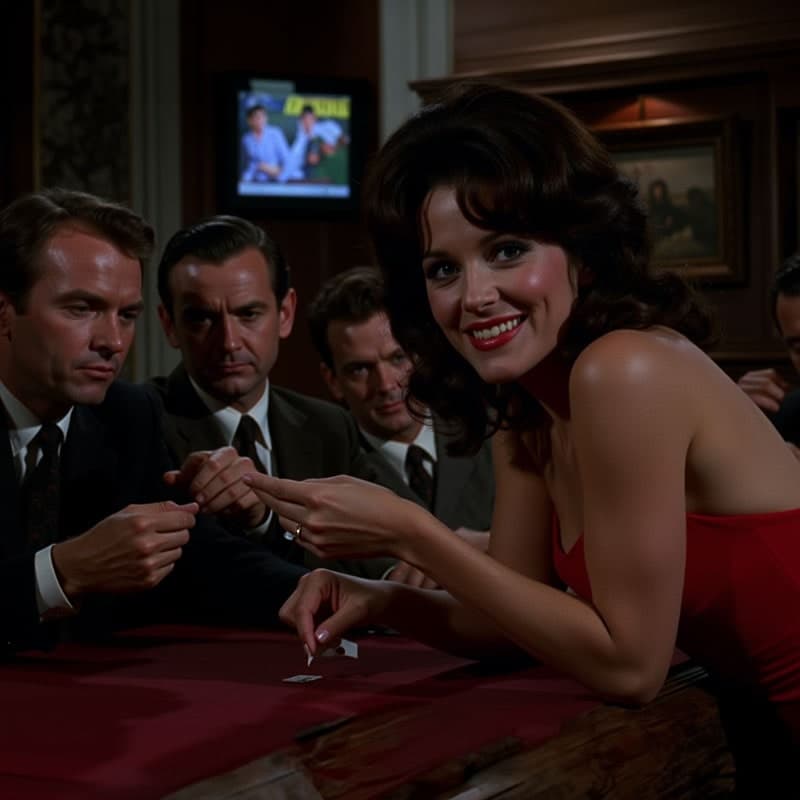
Movie Reviews Videos Made With AutoFeed
Real videos from Movie Reviews series, most viewed first. Each one opens with its script and the settings it was made with.
The Secret Trick Behind Oscar-Winning Performances
The Secret Trick Behind Oscar-Winning Performances
Movie Reviews
Why This Movie's Ending Divided Fans
Why This Movie's Ending Divided Fans
Movie Reviews
Why 'Inception' Still Confuses Audiences
Why 'Inception' Still Confuses Audiences
Movie Reviews
Why 'Inception' Still Breaks Our Brains
Why 'Inception' Still Breaks Our Brains
Movie Reviews
Why 'Joker' Divided Audiences Worldwide
Why 'Joker' Divided Audiences Worldwide
Movie Reviews
Why Joker Made Audiences Uncomfortable
Why Joker Made Audiences Uncomfortable
Movie Reviews
Why 'The Godfather' Still Reigns Supreme
Why 'The Godfather' Still Reigns Supreme
Movie Reviews
Why Movie Reviews Works As A Faceless Channel
Film has the most engaged comment sections of any entertainment niche — everyone has seen the movie and everyone has an opinion — and behind-the-scenes facts are the content people forward to the friend they watched it with. "The Jaws shark broke, so Spielberg shot from its point of view" is a fact that makes the viewer see a film they know differently.
The failure mode is the plot recap, which is both boring and a copyright problem. The preset is written for the insight instead: a documented production fact, a specific scene, a box-office number, a director’s real decision — built around a single angle, not a summary.
What The Movie Reviews Preset Tells The Writer
Every category tile in the editor carries a brief the script writer is held to. This is the Movie Reviews brief, paraphrased from the shipped prompt.
One named film and one concrete angle per video — a documented production fact, a specific scene, a box-office number, a director’s real decision.
Anchored on real titles, people and numbers.
Built around a single insight, not a plot recap.
Conversational, like a friend who really knows cinema.
Recommended Settings For Movie Reviews
Each of these is a real option in the editor. Change any of them; these are the starting point that suits the niche.
- Art style
- Realistic or Retro
- Realistic for sets and locations; Retro when the channel leans on older cinema and wants the grain.
- Caption style
- Classic 2 or Thumbnail
- Titles and years read best in a heavy or a clean face. Neon if the channel is about blockbusters.
- Voice filter
- Conversational
- The brief says "like a friend who really knows cinema", and the conversational voices are that friend.
- Background music
- Assumptions or Focused Viral
- Low and rhythmic. Nothing that competes with the memory of the film’s own score.
- Particles
- Dust
- The nearest thing to projector grain in the overlay set.
- Duration target
- 15 to 30 seconds (1,000 credits)
- The default, and where most channels should live. Step up to 45-60 (1,200 credits) once a subject proves it can hold, and to 60-90 (1,500) only if you are chasing TikTok Creator Rewards, which pays on original video over a minute.
Opening Lines In This Niche
The brief forbids opening with a question or addressing the viewer. A Movie Reviews script starts inside a concrete detail, like these. They show the shape; every render writes its own.
- The mechanical shark on Jaws broke so often in 1974 that Spielberg cut most of its scenes, and the film that terrified a generation shows the shark for about four minutes.
- Alien’s chestburster scene in 1979 was shot in one take, and the cast had not been told how much blood there would be.
- The Blair Witch Project cost about $60,000 to shoot in 1998 and grossed almost $250 million.
- Sean Connery turned down the role of Gandalf in The Lord of the Rings and, by his own account, the deal would have been worth around $450 million.
- The Wilhelm scream has appeared in over 400 films since 1951, and the man who recorded it was probably a singer named Sheb Wooley.
- Toy Story 2 was nearly erased in 1998 by a single command run on Pixar’s servers, and it survived because a technical director had a copy at home.
How A Movie Reviews Series Runs
The niche is one tile in the AI slideshow editor. Everything else is the same pipeline every slideshow uses.
- Step 1
Pick the preset
Start a new series, choose AI Slideshow and select the Movie Reviews tile. The brief above is attached to every script the series writes; you can also add your own instructions on top of it.
- Step 2
Set the look and the voice
Choose an art style, a caption style, a voice from the ElevenLabs picker, background music and particles. The settings above are the ones that suit this niche; all of them can be changed per video or per series.
- Step 3
Schedule it
Connect your accounts, pick the days and the whole-hour slots, and the series writes, narrates, illustrates and publishes a new video at each one. Review each video first, or let it run.
Movie Reviews Questions, Answered
Can I use clips from the actual films?
Not through AutoFeed — the AI slideshow generates its own images from the script, which is also what keeps the channel clear of copyright claims. If a channel wants to talk over real footage, the YouTube Clipping tool is for long videos you have the rights to, not for other people’s films.
Are these reviews or facts?
Facts and insight, not star ratings. The preset is called Movie Reviews in the editor, but the brief it runs on asks for one documented production fact, scene, number or director’s decision built into a single insight, and explicitly not a plot recap. Opinion-led review scripts are something you would write yourself in the script box.
Can a movie channel run without me every week?
Yes. Create a series, choose the "Movie Reviews" tile, pick the days and the whole-hour slots you want, and AutoFeed writes a new script, renders a new video and publishes it to your connected TikTok and YouTube Shorts accounts in your own timezone. Plans cap a series at 3, 7 or 14 posts per week, and every video can be reviewed and edited before it goes out or left fully automatic.
What does one video in this niche cost?
The same as any AI slideshow: 1,000 credits at the 15-30 second target, 1,200 at 45-60 and 1,500 at 60-90, with static images and camera drift. Turning on Animated Images converts every still into a generated clip and prices the video per clip instead — 2,400, 4,800 or 7,200 credits at those three lengths. The niche you pick does not change the price.
Can I write the script myself and only use the preset for the visuals?
Yes. Generate once to see the shape the preset produces, then overwrite the script box — or skip the preset entirely and start from the Custom Series Brief tile with your own text. The narration, the images and the captions are built from whatever is in that box when you render.
Other Niches Worth A Look
Plans run two to five series at once, and channels that pair a niche with a neighbouring one tend to keep the same audience.

Car Reviews
One car, one detail enthusiasts argue about. Real specs and engineering stories, not a spec sheet.

Luxury Lifestyle
One object or place, one documented jaw-dropping number. Sophisticated, never a montage.

Travel Destinations
One place, one jaw-dropping documented detail. Aspirational and specific.

Business Stories
One company, one documented decision, real numbers. A case study told fast — no "lessons".

Financial Tips
One principle, one worked example, checkable numbers. Education, never advice or stock picks.

Productivity Hacks
One technique, its measured difference, the exact steps. No motivational language.