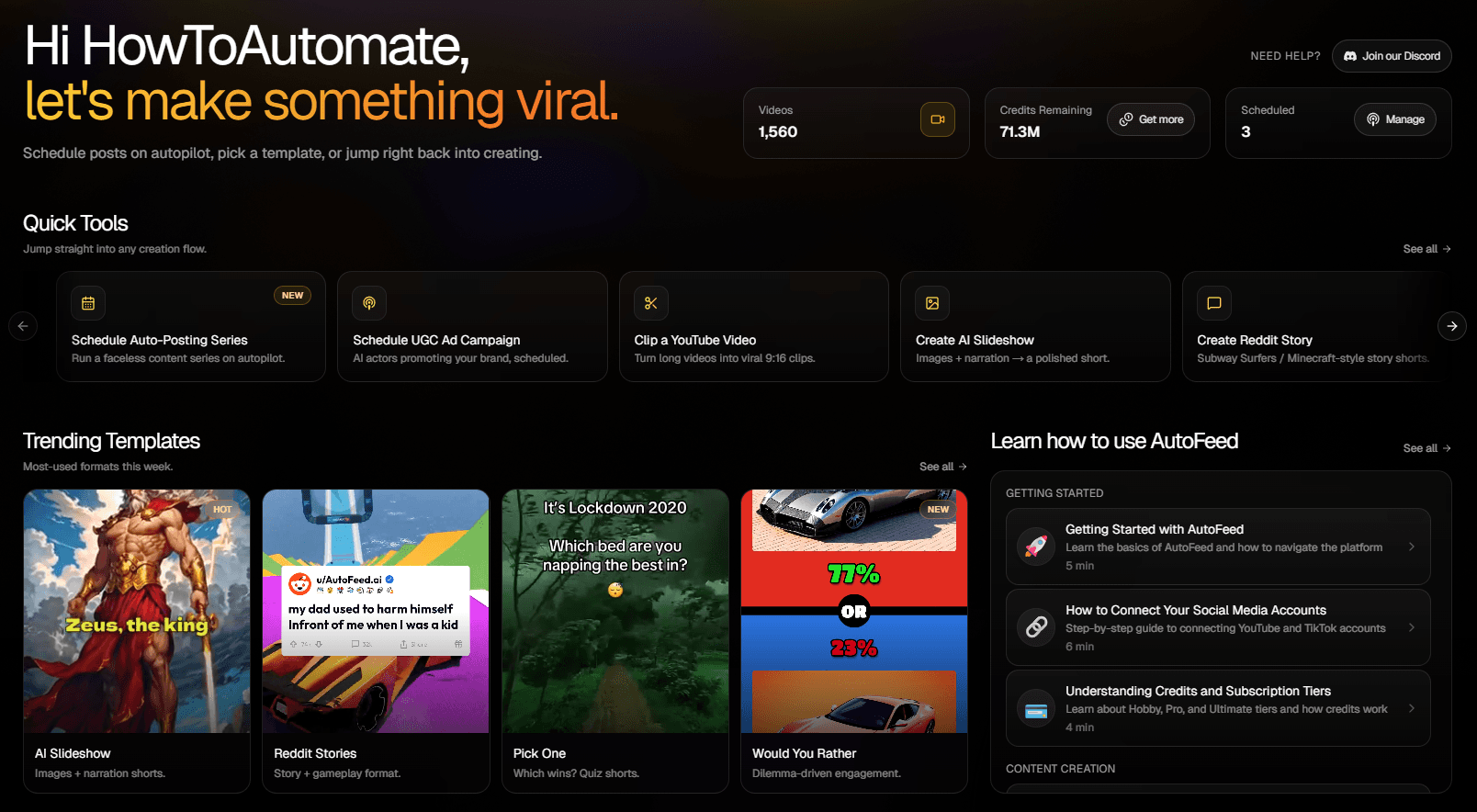
How to Create 'Pick One' Videos That Drive Massive Engagement
The forced-choice format that dominates For You pages on TikTok and Reels
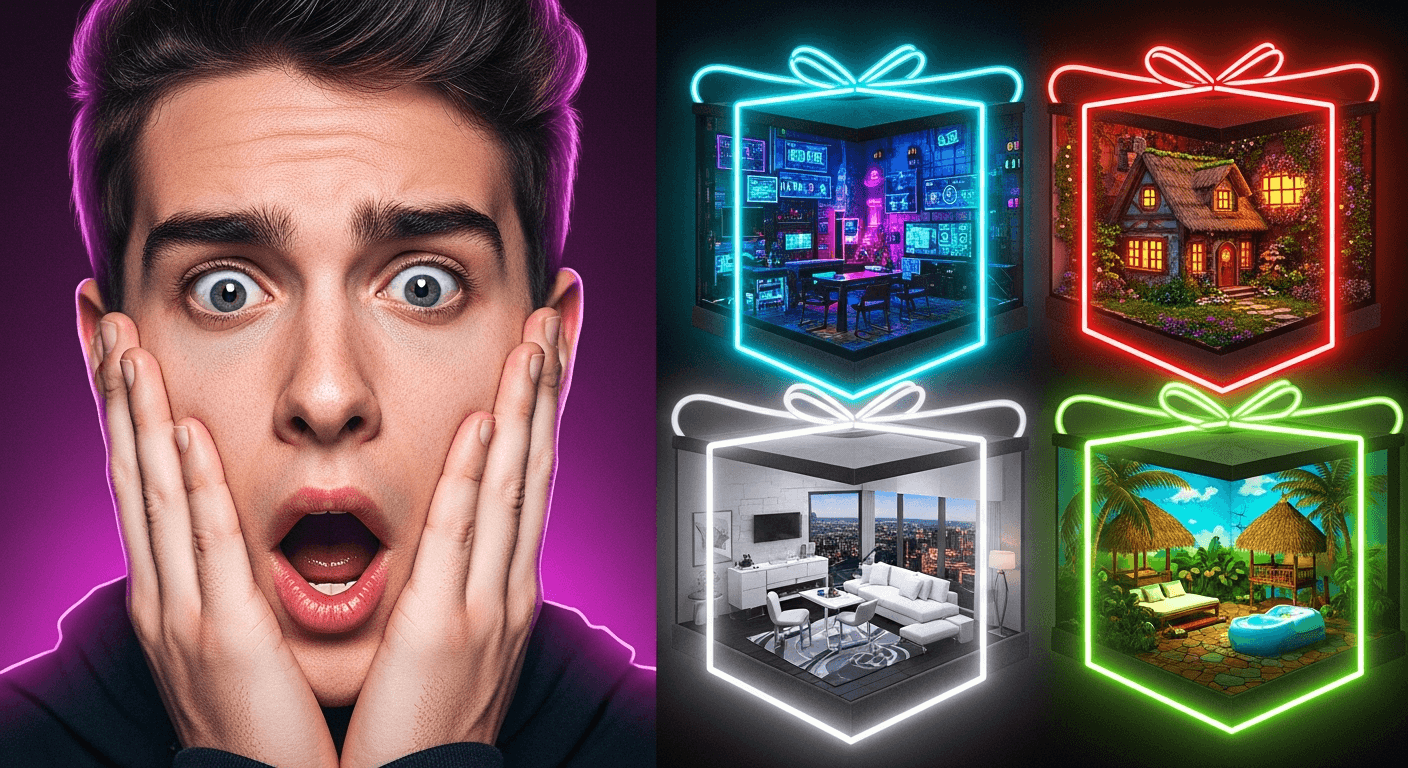
What 'Pick One (Let Go)' Videos Actually Are
Pick One - also known as the TikTok 'Let Go' trend - is a forced-choice short-form format with a very specific structure:
- A short hook video clip plays first with a 'POV' text overlay (e.g., 'POV: You haven't showered in a decade 😭')
- A question appears (e.g., 'Which shower are you choosing?')
- Then numbered AI-generated images (3-10 of them) flash by over background music
- The viewer mentally picks one - the mental commitment translates into comments, saves, and shares
There's no narrator. No voiceover. No captions. The whole format is hook clip + on-screen text + numbered visuals + music. That minimalism is exactly why it's so addictive to scroll and so easy to produce.
Why the Format Goes Viral
Pick One succeeds because of three psychological triggers:
- Forced cognitive commitment: Once viewers mentally pick a number, they're emotionally invested. That commitment translates into comments ('3 obviously'), saves, and shares.
- Rewatch loops: Each numbered image flashes by quickly, so viewers naturally rewatch to compare - boosting average watch time and signaling quality to the algorithm.
- Built-in share mechanic: 'Which one are you choosing? Send this to a friend' is one of the strongest distribution loops in short-form content.
Other formats hope viewers engage. Pick One almost forces it.
Creating Your First Pick One Video on AutoFeed.ai
Head to Create → Faceless Video in your dashboard. The unified Faceless editor opens with three numbered sections: Content Type, Settings, and Generate.
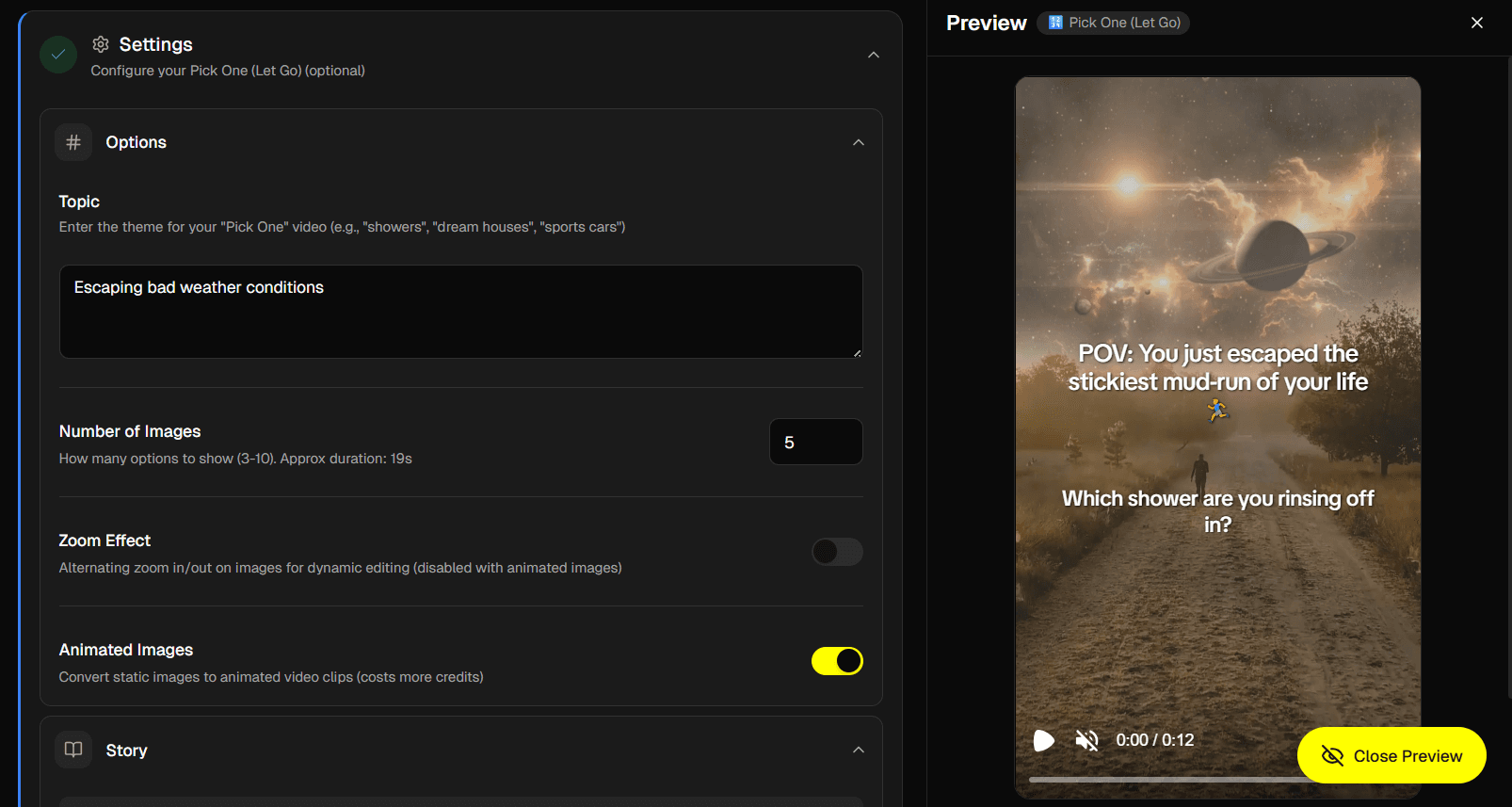
In the Content Type section, click the 🔢 Pick One (Let Go) card. The Settings section unlocks and reveals four collapsible subsections specific to Pick One: Options, Story, Art Style, and Format.
Options: Enter your topic (e.g., 'Beautiful showers from around the world'), pick a number of images (3-10, default 5), and toggle the Zoom Effect or Animated Images switches.
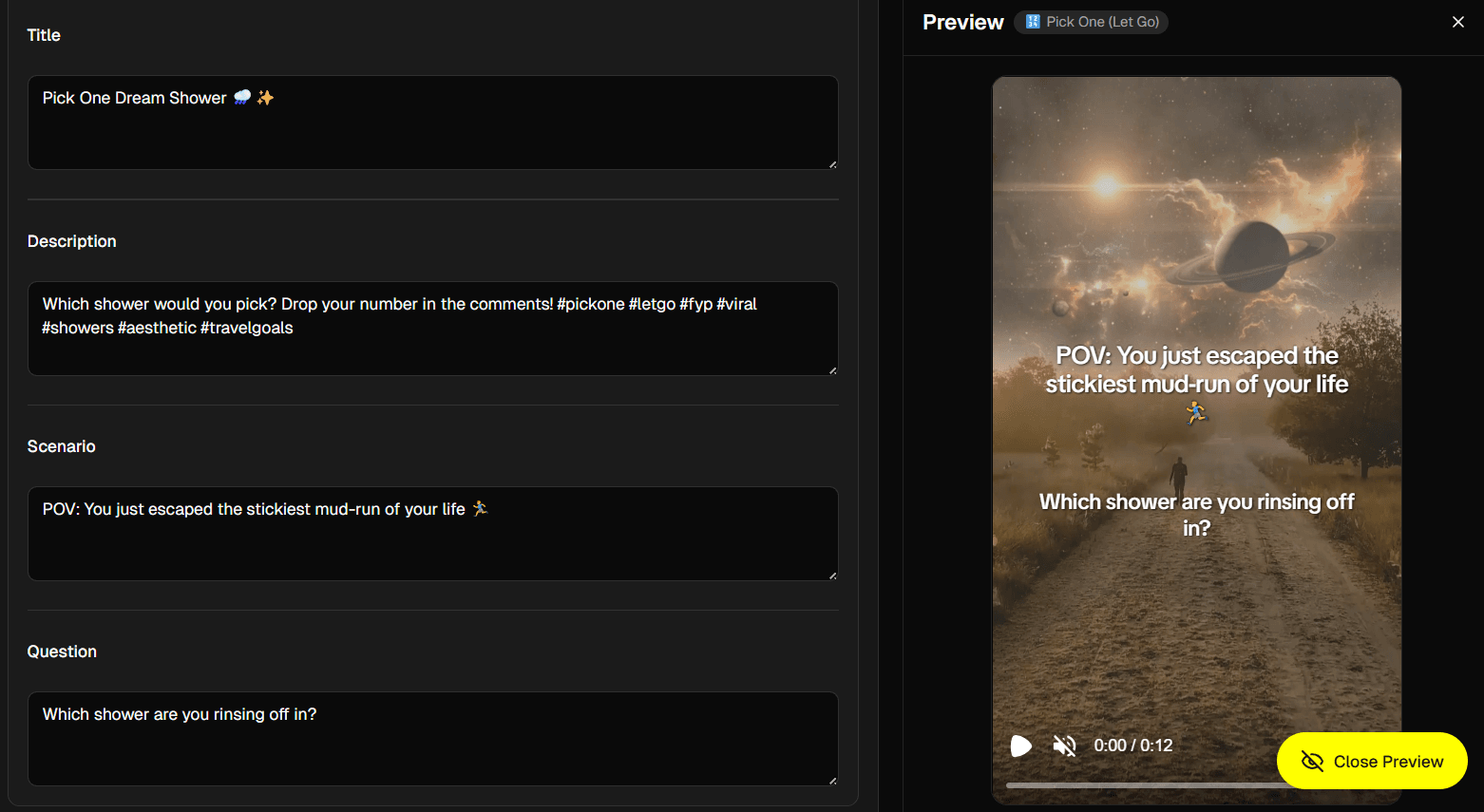
Story: Click Generate Content. AutoFeed produces a scenario, a question, and a set of internal image prompts based on your topic. Edit any of them - especially the scenario, which is the POV text that appears over the hook clip.
Art Style: Pick from a grid of visual styles for the AI images (realistic, illustrations, anime, etc.).
Format: Choose your aspect ratio. 9:16 vertical is the default and the right call for TikTok, Reels, and YouTube Shorts.
Then scroll to the Generate section and click Generate. AutoFeed picks a hook video clip from a library of 50, renders the scenario and question text overlays, generates the numbered AI images in your chosen style, adds background music, and stitches everything together.
Best Niches for Pick One Format
Some niches were practically built for Pick One:
- Lifestyle & Aesthetic: dream houses, cozy cafes, vacation destinations, hotel rooms
- Fashion & Style: outfits, wedding dresses, sneakers, accessories, streetwear
- Character & Design: fantasy character classes, robot designs, gaming setups, custom car builds
- Food & Drink: burgers, desserts, coffee orders, pizza topping combos
- Travel: which city, which country, which beach, which mountain
If you can show visual variety, you can run a Pick One channel.
Writing Hook Scenarios That Spark Comments
The hook scenario (the POV text over the opening clip) is the single most important text in the entire video. AutoFeed generates a starting version, but you'll usually want to tighten it. Three rules:
1. Add stakes. 'POV: you have $1B and 24 hours to spend it' beats 'POV: a rich person.' 'POV: you can only eat one dish for the rest of your life' beats 'POV: a foodie.' The bigger the commitment, the stronger the opinion.
2. Lean into emotional or absurd POVs. 'POV: you haven't showered in a decade 😭' performs vastly better than 'POV: time to choose a shower.' Emotion + absurdity + emoji is the trifecta.
3. Make the question land. 'Which shower are you choosing?' is fine. 'Which one are you running to?' is better. The question should imply urgency or commitment.
Visual Quality Tips
Pick One lives or dies on visual quality. A few ways to maximize it:
- Use 5-7 images. Fewer than 5 feels too short, more than 7 starts losing viewer attention. Default 5 is a great starting point.
- Enable Animated Images if your credit budget allows - the subtle motion makes the static AI images feel premium and noticeably more expensive.
- Be specific in your topic - vague topics produce visually similar images. "Cyberpunk rooftop apartment in neon Tokyo" gives the AI a real prompt to work with.
- Pick a cohesive art style - sticking to one style (e.g., realistic, or anime) makes the numbered images feel like a curated set instead of a random collection.
AutoFeed handles all the hard parts: hook video selection, image generation, scenario rendering, music sync. You just pick a topic and edit the POV.
Scaling with Auto-Posting Series
Pick One is a perfect template to put on autopilot. Set up a faceless series in AutoFeed and the platform will generate fresh Pick One videos in your chosen niche on a schedule, then post them straight to your connected accounts. Pro plans support up to 3 simultaneous series, Ultimate supports 5 - enough to run multiple Pick One niches in parallel and find which one explodes.
When you're posting daily Pick One content, every video reinforces the format with your audience: they come to expect it, anticipate it, and engage with it. That's how niches get owned.
Final Thoughts
Pick One isn't a trick - it's a fundamental engagement mechanic that compounds over time. One viral Pick One video brings followers; a daily Pick One channel builds a following. Open the Faceless editor on AutoFeed.ai, select Pick One (Let Go), and tap into one of the most engagement-rich formats in short-form content.
Latest from Blog
How to Turn Long YouTube Videos into Viral Clips with AI
Repurpose podcasts, interviews, and long-form videos into viral shorts in minutes

Stop Wasting Your Long-Form Content: A Repurposing Playbook for Creators
Why every creator should build a repurposing pipeline - and how to do it with AI
How to Set Up Automated UGC Ad Campaigns for Social Media
Automate your UGC ad creation and posting with AutoFeed.ai campaigns