How to Get Started with AI Video Creation Using AutoFeed.ai
Your complete guide to getting started with AutoFeed.ai for AI video creation and auto-posting
Welcome to AutoFeed
AutoFeed.ai is your all-in-one platform for creating and automating viral short-form content. Whether you're creating faceless videos, UGC ads, or AI videos, AutoFeed makes it easy to scale your content creation.
Step 1: Create Your Account
If you haven't already, sign up for an AutoFeed account. You can start with a free account or choose from the Hobby, Pro, or Ultimate plans.
Step 2: Explore the Dashboard
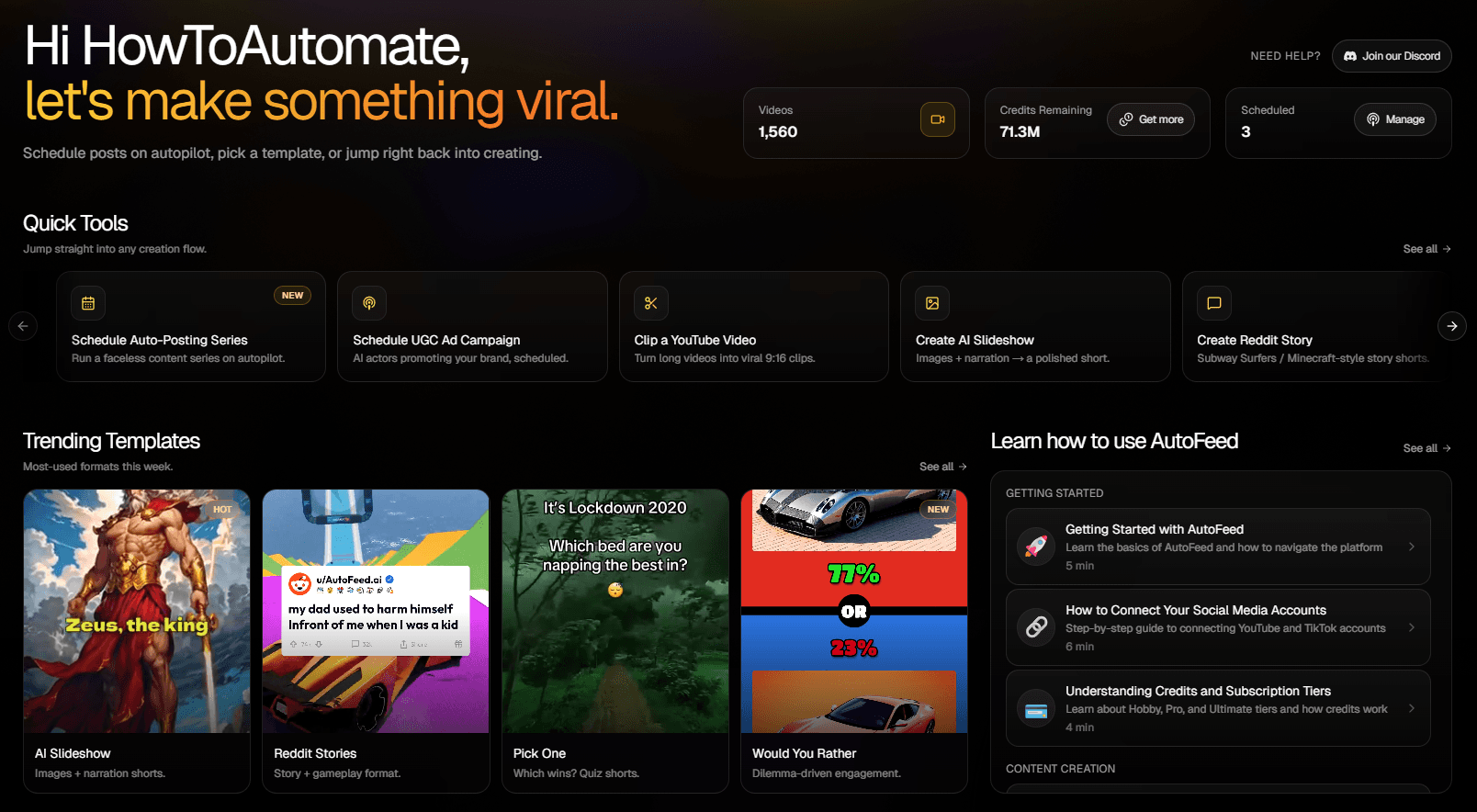
Once logged in, you'll see your dashboard with quick access to:
- Auto-Posting: Manage your series and campaigns
- Create: Generate faceless videos, UGC ads, and AI videos
- Generation History: View your recent generations
- Billing: Manage your subscription and credits
Step 3: Connect Your Social Accounts
Before you can start auto-posting, you'll need to connect your social media accounts. AutoFeed supports YouTube and TikTok. Head to the Auto-Posting page to connect your accounts.
Step 4: Create Your First Video
Start by creating a single video to get familiar with the platform. You can create:
- Faceless Videos: AI Slideshows, Reddit Stories, Would You Rather
- UGC Ads: AI-generated user testimonial videos
- AI Videos: Text-to-Video, Image-to-Video
Understanding Credits
Credits are used to generate videos on AutoFeed. Each video type has a different credit cost:
- AI Slideshows: Varies by duration and settings (approximately 3-10 credits)
- Reddit Stories: Standard credit cost (approximately 3 credits)
- Would You Rather: Standard credit cost (approximately 3 credits)
- UGC Ads: Standard credit cost (approximately 1 credit)
- AI Videos: Varies by model and settings
Pro Tip: Credits are replenished monthly based on your subscription tier. Check your credit balance in the dashboard or visit the Generation History page to see your usage.
Next Steps
Now that you understand the basics, here's what to do next:
- Connect your social media accounts
- Create your first video to see how the platform works
- Set up your first auto-posting series
Ready to get started? Sign up for AutoFeed.ai and start creating viral content today.
Latest from Blog
How to Turn Long YouTube Videos into Viral Clips with AI
Repurpose podcasts, interviews, and long-form videos into viral shorts in minutes

How to Create 'Pick One' Videos That Drive Massive Engagement
The forced-choice format that dominates For You pages on TikTok and Reels

Stop Wasting Your Long-Form Content: A Repurposing Playbook for Creators
Why every creator should build a repurposing pipeline - and how to do it with AI